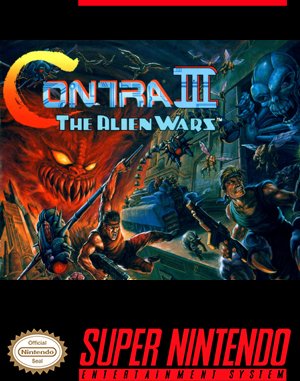
Super Famicom · 1992
Contra III: The Alien Wars
Contra III: The Alien Wars leverages Mode 7 rotation, dual weapon slots, and devastating screen-clearing bombs against alien invaders.
Super Famicom · 1992
Contra III: The Alien Wars leverages Mode 7 rotation, dual weapon slots, and devastating screen-clearing bombs against alien invaders.
Click the button below to launch the Super Famicom emulator and start playing instantly in your browser.
These are separate games or editions; your saved progress does not transfer.
Browse all playable games →Wait for larger games to download. If loading stalls, reload and try again. Check your connection and allow this site's player files if a browser extension blocked them. Once the screen appears, click inside it before using the keyboard.
Read the playing helpStart the game, then use its on-screen direction pad and action buttons. If they are hidden, choose Show touch controls above the game. Turn your phone sideways for more room; use Fullscreen when your browser supports it.
Touch support varies by emulator and game. You can still expand the keyboard layout below, or connect a compatible keyboard or gamepad.
Control panel
Arrow keys move · Z = controller A · X = controller B · Enter starts · V selects.
A compatible gamepad can be used after launch.
Default Player 1 keys are shown. If you changed them or use a gamepad, check the player’s control settings.
System: Move the pointer over the game screen to reveal the player toolbar, or tap its menu button on touch devices. Use the toolbar for save and load states, fullscreen, and control settings.
Importing replaces the save stored for this game on this browser. Download your current backup first if you want to keep it.
Launch the game to check save-state support.
Save progress keeps one emulator snapshot for this game on this browser. Saving again replaces that snapshot. Download a backup before clearing site data or changing devices. No account or cloud sync is provided.
Import an OLDGAMES backup on this same game page, then launch and choose Resume saved game. Older .state files use the player’s Load State menu.
Favorites bookmark this page; they do not save progress.
In-game saves and emulator states are different. Availability varies by game and player. Browser storage can be cleared; a downloaded backup is not cloud sync.
More about controls and backupsPlayer feedback
Was this classic worth replaying?
Share this game
Share a direct link to this game page.
Contra III: The Alien Wars leverages Mode 7 rotation, dual weapon slots, and devastating screen-clearing bombs against alien invaders.
Set in post-apocalyptic Neo City, players switch between two primary weapon slots (holding L and R to fire both simultaneously when spinning) and deploy screen-clearing smart bombs. Overhead stages challenge navigation using Mode 7 directional camera controls.
Take advantage of the dual weapon storage: keep a high-spread or homing gun in slot 1 for mob clearance and reserve a crush missile or laser in slot 2 for concentrated boss weak-point damage.
This is the North American Super Nintendo / Super Famicom cartridge edition from 1992, known for its intense action and Mode 7 visual showcases.
Background and mechanics: Wikipedia game reference.
Check the edition and timing requirements before entering a code. Button names refer to the emulated controller; use your assigned keyboard or controller inputs.
Down, Down-Left, Left, Down, Down-Left, Left + Select + StartOn the title screen, highlight 1 Player or 2 Players, enter Down, Down-Left, Left on the D-Pad, tap Select and Start together to begin the campaign with 30 reserve soldiers.
Down, Down-Right, Right, Down, Down-Right, Right + Select + StartOn the title screen, input Down, Down-Right, Right on the directional pad, then hold Select and press Start to open the stage selection and sound test menu.
The control panel below the game screen shows this edition’s keys. Click inside the game before using your keyboard.
Open the player menu for the options available in this emulator. Save support varies by game and player; see the playing help for more guidance.
Browse run and gun games across systems, or stay with the Super Famicom catalogue. Related picks below explain how each game connects.
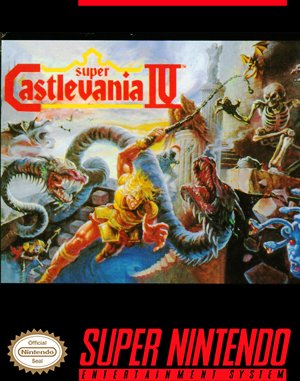 YEAR1991
Super Famicom
run and gun 1 Player
Run-and-gun gameplay · Super Famicom
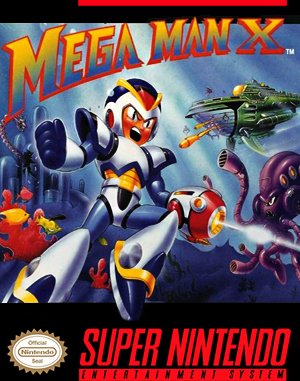 YEAR1993
Super Famicom
run and gun 1 Player
Run-and-gun gameplay · Super Famicom
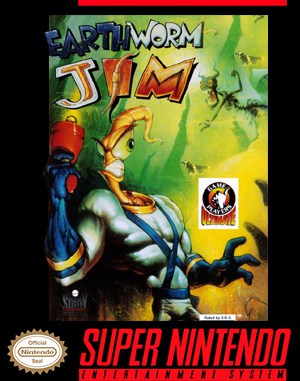 YEAR1994
Super Famicom
run and gun 1 Player
Run-and-gun gameplay · Super Famicom
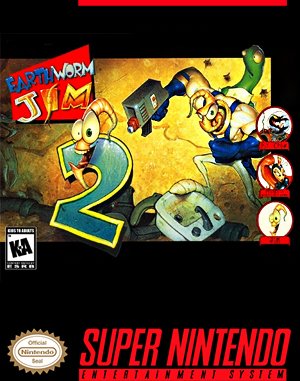 YEAR1995
Super Famicom
run and gun 1 Player
Run-and-gun gameplay · Super Famicom