DOS · 1995
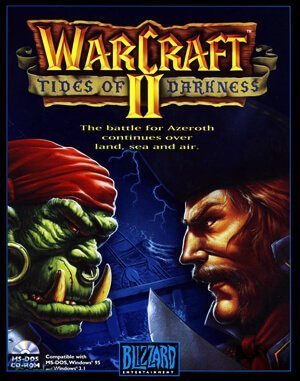
WarCraft II: Tides of Darkness
Warcraft II combines base building and army control with naval warfare, oil resources and an expanding fog of war.
DOS · 1995
Warcraft II combines base building and army control with naval warfare, oil resources and an expanding fog of war.
Click the button below to launch the DOS emulator and start playing instantly in your browser.
These are separate games or editions; your saved progress does not transfer.
Browse all playable games →Wait for larger games to download. If loading stalls, reload and try again. Check your connection and allow this site's player files if a browser extension blocked them. Once the screen appears, click inside it before using the keyboard.
Read the playing helpDOS controls vary by game. Use the player’s input menu for a virtual keyboard or mouse when available. A hardware keyboard is recommended for games with many keys.
Touch support varies by emulator and game. You can still expand the keyboard layout below, or connect a compatible keyboard or gamepad.
Control panel
Keyboard and mouse — this title uses its archived JS-DOS configuration.
A compatible gamepad can be used after launch.
The archived source configuration selects the game launcher and DOSBox settings. Game keys still vary by title; check its title screen or in-game help.
System: Use the JS-DOS player menu for fullscreen and input options. The source package remains the authority for title-specific keys.
Favorites bookmark this page; they do not save progress.
Use the game’s own Save/Load menu when available. JS-DOS save options depend on this package; check its player menu and game instructions.
In-game saves and emulator states are different. Availability varies by game and player. Browser storage can be cleared; a downloaded backup is not cloud sync.
More about controls and backupsPlayer feedback
Was this classic worth replaying?
Share this game
Share a direct link to this game page.
Warcraft II combines base building and army control with naval warfare, oil resources and an expanding fog of war.
Workers gather gold and lumber while the base produces fighting units. Sea maps introduce oil and shipbuilding, adding another resource network to protect. Scouting matters because an unexplored or unattended area can hide a change in the opponent’s army.
Oil tankers gather the resource needed for the naval economy. On a sea map, protect their route between offshore platforms and the shore. A shipyard without a working oil supply leaves part of your production chain idle.
This entry is Tides of Darkness. Beyond the Dark Portal is an expansion with separate campaign content.
Background and mechanics: Wikipedia game reference.
Check the edition and timing requirements before entering a code. Button names refer to the emulated controller; use your assigned keyboard or controller inputs.
Press Enter, type glittering prizes, press EnterIn-game chat code that immediately floods your resource storehouses with 10,000 Gold, 5,000 Lumber, and 5,000 Oil for immediate naval and castle construction.
Press Enter, type it is a good day to die, press EnterGrants all player units and fortifications complete invulnerability to enemy spells, cannon fire, and melee attacks, with attack strength boosted to one-hit kills.
Press Enter, type on screen, press EnterRemoves the shroud and fog of war across the entire battlefield, displaying all enemy peons, warships, and hidden bases in real time.
Press Enter, type make it so, press EnterDramatically speeds up build times for all barracks, blackmiths, and shipyards, causing knights, mages, and battleships to train in under 2 seconds.
The control panel below the game screen shows this edition’s keys. Click inside the game before using your keyboard.
Open the player menu for the options available in this emulator. Save support varies by game and player; see the playing help for more guidance.
Browse real time strategy games across systems, or stay with the DOS catalogue. Related picks below explain how each game connects.
 YEAR1995
DOS
real time strategy 1 Player
Real-time strategy gameplay · DOS
 YEAR1995
DOS
real time strategy 1 Player
Real-time strategy gameplay · DOS
 YEAR1995
DOS
real time strategy 1 Player
Real-time strategy gameplay · DOS
 YEAR1995
DOS
real time strategy 1 Player
Real-time strategy gameplay · DOS