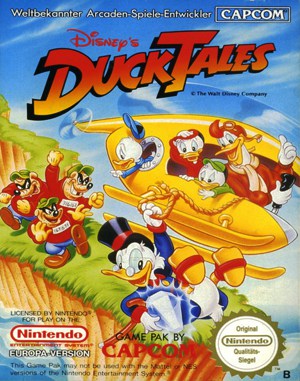
Famicom · 1989
Disney’s DuckTales
DuckTales sends Scrooge McDuck treasure hunting with a cane that doubles as a pogo stick and a tool for moving objects.
Famicom · 1989
DuckTales sends Scrooge McDuck treasure hunting with a cane that doubles as a pogo stick and a tool for moving objects.
Click the button below to launch the Famicom emulator and start playing instantly in your browser.
These are separate games or editions; your saved progress does not transfer.
Browse all playable games →Wait for larger games to download. If loading stalls, reload and try again. Check your connection and allow this site's player files if a browser extension blocked them. Once the screen appears, click inside it before using the keyboard.
Read the playing helpStart the game, then use its on-screen direction pad and action buttons. If they are hidden, choose Show touch controls above the game. Turn your phone sideways for more room; use Fullscreen when your browser supports it.
Touch support varies by emulator and game. You can still expand the keyboard layout below, or connect a compatible keyboard or gamepad.
Control panel
Arrow keys move · Z = controller A · X = controller B · Enter starts · V selects.
A compatible gamepad can be used after launch.
Default Player 1 keys are shown. If you changed them or use a gamepad, check the player’s control settings.
System: Move the pointer over the game screen to reveal the player toolbar, or tap its menu button on touch devices. Use the toolbar for save and load states, fullscreen, and control settings.
Importing replaces the save stored for this game on this browser. Download your current backup first if you want to keep it.
Launch the game to check save-state support.
Save progress keeps one emulator snapshot for this game on this browser. Saving again replaces that snapshot. Download a backup before clearing site data or changing devices. No account or cloud sync is provided.
Import an OLDGAMES backup on this same game page, then launch and choose Resume saved game. Older .state files use the player’s Load State menu.
Favorites bookmark this page; they do not save progress.
In-game saves and emulator states are different. Availability varies by game and player. Browser storage can be cleared; a downloaded backup is not cloud sync.
More about controls and backupsPlayer feedback
Was this classic worth replaying?
Share this game
Share a direct link to this game page.
DuckTales sends Scrooge McDuck treasure hunting with a cane that doubles as a pogo stick and a tool for moving objects.
Scrooge explores selectable locations in search of treasure. His cane provides both a bouncing attack and a way to strike objects, making it more than a standard jump button. Exploration and hidden valuables give a reason to inspect routes beyond the direct path to a boss.
Treat the cane’s pogo bounce and its object strike as different tools. Practise keeping the bounce active before trying to cross enemies, then check whether an object in the route can be struck. Scrooge’s cane solves more than one kind of obstacle.
These notes describe the 8-bit game. DuckTales Remastered changes presentation and includes expanded sequences.
Background and mechanics: Wikipedia game reference.
Check the edition and timing requirements before entering a code. Button names refer to the emulated controller; use your assigned keyboard or controller inputs.
Finish the game with exactly $10,000,000 or $0 in total wealthAccumulating exactly $10,000,000 in accumulated cash through repeated stage exploration and hidden diamond treasures, or intentionally finishing with $0, triggers Scrooge McDuck’s secret epilogue scene.
Pogo jump across the ceiling in the lunar spaceshipIn the Moon stage, jump on top of the alien computer terminals and use the pogo bounce along the ceiling to discover a hidden passage containing an extra heart container.
The control panel below the game screen shows this edition’s keys. Click inside the game before using your keyboard.
Open the player menu for the options available in this emulator. Save support varies by game and player; see the playing help for more guidance.
Browse Platform games across systems, or stay with the Famicom catalogue. Related picks below explain how each game connects.
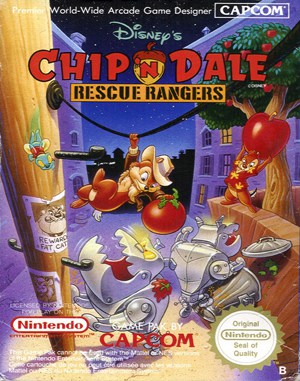 YEAR1990
Famicom
Platform 1 Player
Platform gameplay · Famicom
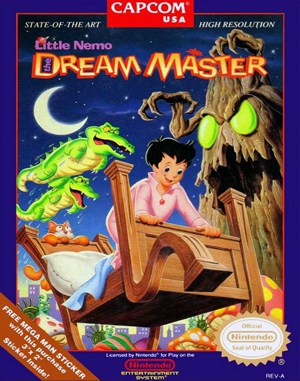 YEAR1990
Famicom
Platform 1 Player
Platform gameplay · Famicom
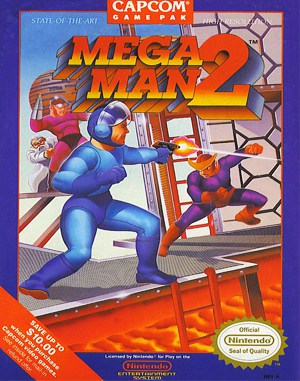 YEAR1988
Famicom
Platform 1 Player
Platform gameplay · Famicom
 YEAR1991
Famicom
Platform 1 Player
Platform gameplay · Famicom