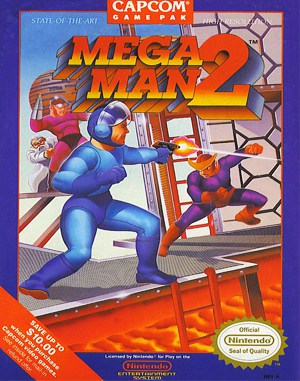
Famicom · 1988
Mega Man 2
Mega Man 2 lets you choose eight Robot Master stages and reuse defeated bosses’ weapons in later encounters.
Famicom · 1988
Mega Man 2 lets you choose eight Robot Master stages and reuse defeated bosses’ weapons in later encounters.
Click the button below to launch the Famicom emulator and start playing instantly in your browser.
These are separate games or editions; your saved progress does not transfer.
Browse all playable games →Wait for larger games to download. If loading stalls, reload and try again. Check your connection and allow this site's player files if a browser extension blocked them. Once the screen appears, click inside it before using the keyboard.
Read the playing helpStart the game, then use its on-screen direction pad and action buttons. If they are hidden, choose Show touch controls above the game. Turn your phone sideways for more room; use Fullscreen when your browser supports it.
Touch support varies by emulator and game. You can still expand the keyboard layout below, or connect a compatible keyboard or gamepad.
Control panel
Arrow keys move · Z = controller A · X = controller B · Enter starts · V selects.
A compatible gamepad can be used after launch.
Default Player 1 keys are shown. If you changed them or use a gamepad, check the player’s control settings.
System: Move the pointer over the game screen to reveal the player toolbar, or tap its menu button on touch devices. Use the toolbar for save and load states, fullscreen, and control settings.
Importing replaces the save stored for this game on this browser. Download your current backup first if you want to keep it.
Launch the game to check save-state support.
Save progress keeps one emulator snapshot for this game on this browser. Saving again replaces that snapshot. Download a backup before clearing site data or changing devices. No account or cloud sync is provided.
Import an OLDGAMES backup on this same game page, then launch and choose Resume saved game. Older .state files use the player’s Load State menu.
Favorites bookmark this page; they do not save progress.
In-game saves and emulator states are different. Availability varies by game and player. Browser storage can be cleared; a downloaded backup is not cloud sync.
More about controls and backupsPlayer feedback
Was this classic worth replaying?
Share this game
Share a direct link to this game page.
Mega Man 2 lets you choose eight Robot Master stages and reuse defeated bosses’ weapons in later encounters.
Stage selection is part of the puzzle. Each Robot Master gives Mega Man a weapon that can help against another boss or a stage obstacle. Weapon energy is limited, while movement-support items create additional ways through difficult sections.
A defeated Robot Master gives you a weapon another boss may be weak against. Reconsider the stage-select screen after each victory. The support items also create platforms, so a new item can change how you approach an awkward ladder or gap.
This is the Famicom console sequel, not Mega Man 2: The Power Fighters, which is a separate arcade game.
Background and mechanics: Wikipedia game reference.
For the NES/Famicom game. The English instruction guide supports the mechanics below; no complete boss-weakness route or regional ROM identification is claimed.
Learn Mega Man 2 weapon selection, energy pickups, E-Tanks and Wily-stage password limits with Nintendo manual references and practical route advice.
Published by OLDGAMES · Content updated · Editorial policy · Report a correction
| Input | Action |
|---|---|
| A | Jump. |
| B | Fire the selected weapon. |
| Start | Open the weapon menu. |
Begin a stage attempt with a clear purpose. For movement practice, use the Mega Buster and learn where you can stop safely. For a weapon experiment, choose one obstacle and compare the result there rather than changing weapons at every screen.
Keep a short record of the stage, weapon and result. “Useful on the upper enemy, poor from below” is more actionable than a list of weapons you happened to fire. This guide does not give an unverified universal boss order.
References: Mega Man 2: Nintendo instruction guide
The Mega Buster has unlimited shots. Special weapons use separate energy; an energy pickup refills the weapon currently equipped. The eight main stages restore weapon energy at their start.
Pause before collecting a refill if several weapons are low. Look at the next section and choose which tool you want available there. Collecting it while the wrong weapon is selected can leave the one you need without help.
When a special weapon solves a movement or enemy problem, mark that location in your notes. On a later attempt, use it at the known obstacle and practise the remaining section with the Buster. That makes resource use deliberate.
References: Mega Man 2: Nintendo instruction guide
An E-Tank restores health, and you can carry up to four. It does not refill every special weapon.
Choose a point at which you will consider using one, such as reaching a fight you want more practice with. Check the health meter before the next risky exchange, while you still have time to make the choice.
After spending a tank, record what the extra attempt taught you. If the same attack catches you again, work on the position or timing next time; repeating the same sequence with another tank gives you less useful practice.
References: Mega Man 2: Nintendo instruction guide
Passwords appear after a Robot Master clear or a game over. In the password grid, A places a marker and B removes one. A password for the Wily portion restarts at the beginning of the fortress.
Keep a screenshot of the grid with a note about what you had completed. If you want to return to a particular running scene, use the emulator’s separate state options and keep the older backup until you have checked the replacement. A grid screenshot and a state file serve different purposes.
References: Mega Man 2: Nintendo instruction guide
Weapon-energy pickups refill the weapon equipped when you collect them. Select the one you need first.
No. An E-Tank restores health; special-weapon energy has its own pickups.
The password system resumes the Wily portion from its beginning, rather than a later fortress stage.
Practice routines and route-planning suggestions are editorial advice. Mechanics and edition facts are tied to the references below. No exact ROM-region identification or browser save-and-restore playtest is claimed.
Controls, weapon-energy rules, E-Tanks and password behaviour. The experiment log is editorial advice.
Continue reading: Browser controls and backup help
The control panel below the game screen shows this edition’s keys. Click inside the game before using your keyboard.
Open the player menu for the options available in this emulator. Save support varies by game and player; see the playing help for more guidance.
Browse Platform games across systems, or stay with the Famicom catalogue. Related picks below explain how each game connects.
 YEAR1989
Famicom
Platform 1 Player
Platform gameplay · Famicom
 YEAR1990
Famicom
Platform 1 Player
Platform gameplay · Famicom
 YEAR1986
Famicom
Platform 1 Player
Platform gameplay · Famicom
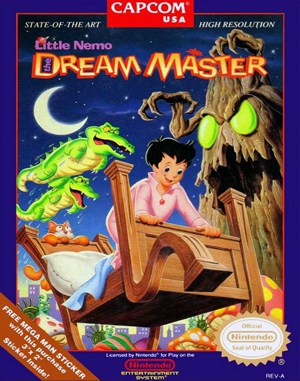 YEAR1990
Famicom
Platform 1 Player
Platform gameplay · Famicom