Famicom · 1989
Castlevania III
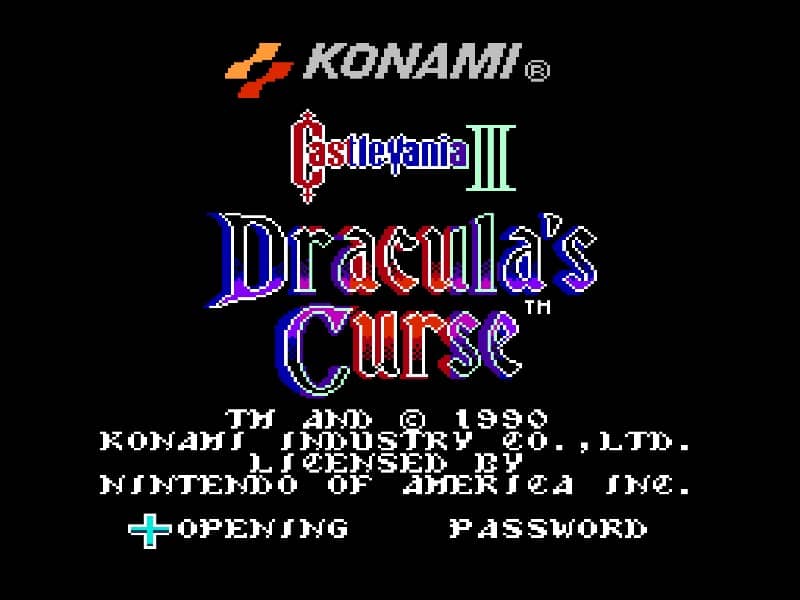
Castlevania III: Dracula’s Curse introduces branching path progression and three distinct companion partners to the classic whip-cracking Gothic quest.
Famicom · 1989
Castlevania III: Dracula’s Curse introduces branching path progression and three distinct companion partners to the classic whip-cracking Gothic quest.
Click the button below to launch the Famicom emulator and start playing instantly in your browser.
These are separate games or editions; your saved progress does not transfer.
Browse all playable games →Wait for larger games to download. If loading stalls, reload and try again. Check your connection and allow this site's player files if a browser extension blocked them. Once the screen appears, click inside it before using the keyboard.
Read the playing helpStart the game, then use its on-screen direction pad and action buttons. If they are hidden, choose Show touch controls above the game. Turn your phone sideways for more room; use Fullscreen when your browser supports it.
Touch support varies by emulator and game. You can still expand the keyboard layout below, or connect a compatible keyboard or gamepad.
Control panel
Arrow keys move · Z = controller A · X = controller B · Enter starts · V selects.
A compatible gamepad can be used after launch.
Default Player 1 keys are shown. If you changed them or use a gamepad, check the player’s control settings.
System: Move the pointer over the game screen to reveal the player toolbar, or tap its menu button on touch devices. Use the toolbar for save and load states, fullscreen, and control settings.
Importing replaces the save stored for this game on this browser. Download your current backup first if you want to keep it.
Launch the game to check save-state support.
Save progress keeps one emulator snapshot for this game on this browser. Saving again replaces that snapshot. Download a backup before clearing site data or changing devices. No account or cloud sync is provided.
Import an OLDGAMES backup on this same game page, then launch and choose Resume saved game. Older .state files use the player’s Load State menu.
Favorites bookmark this page; they do not save progress.
In-game saves and emulator states are different. Availability varies by game and player. Browser storage can be cleared; a downloaded backup is not cloud sync.
More about controls and backupsPlayer feedback
Was this classic worth replaying?
Share this game
Share a direct link to this game page.
Castlevania III: Dracula’s Curse introduces branching path progression and three distinct companion partners to the classic whip-cracking Gothic quest.
Trevor Belmont marches toward Castlevania across a non-linear map screen that splits into upper and lower regional routes. Along the journey, Trevor can recruit three unique allies: Sypha Belnades with elemental magic spells, Grant Danasty with ceiling-climbing agility and dagger throws, and Alucard with bat transformation and fireball flight. You can swap between Trevor and your active spirit partner at will, allowing you to bypass vertical obstacles or decimate aerial bosses using sub-weapon synergies.
Grant Danasty alters the entire geometry of early stages. While clinging to walls and ceilings, Grant can easily bypass bottomless pit traps and avoid ground-patrolling skeleton knights. However, Trevor remains your highest-damage boss slayer with his fully upgraded morning star whip. Save your heart reserves for Sypha’s freeze spell or Trevor’s holy water when approaching difficult stage-clearing gargoyles.
This is the 8-bit Famicom/NES release. While the original Castlevania was strictly linear, Dracula’s Curse rewards multiple playthroughs with distinct endings based on which companion accompanies Trevor to the final throne room.
Background and mechanics: Wikipedia game reference.
Konami Castlevania III development and regional release notes · Covers the non-linear stage progression and multi-character partner mechanic.
Check the edition and timing requirements before entering a code. Button names refer to the emulated controller; use your assigned keyboard or controller inputs.
Name save file HELP MEEnter your name as "HELP ME" on the Name Entry screen before starting a new game to begin Trevor Belmont’s journey with 10 reserve lives instead of 3.
Name save file FU FUInput your name as "FU FU" on the name entry register to start the campaign with Grant Danasty already recruited into your spirit party.
Name save file AKUMAJYOEnter the name "AKUMAJYO" on the registration screen to open the hidden Konami sound test player and listen to all background music tracks.
The control panel below the game screen shows this edition’s keys. Click inside the game before using your keyboard.
Open the player menu for the options available in this emulator. Save support varies by game and player; see the playing help for more guidance.
Browse Action games across systems, or stay with the Famicom catalogue. Related picks below explain how each game connects.