Arcade · 1996
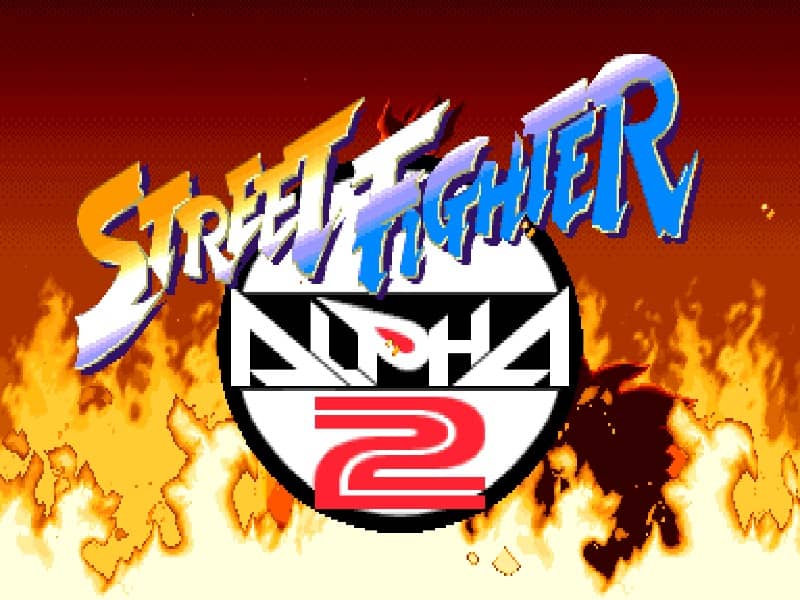
Street Fighter Alpha 2
Street Fighter Alpha 2 introduces the flexible Custom Combo system, Alpha Counters, and expanded rosters to Capcom’s premier 2D fighting engine.
Arcade · 1996
Street Fighter Alpha 2 introduces the flexible Custom Combo system, Alpha Counters, and expanded rosters to Capcom’s premier 2D fighting engine.
Click the button below to launch the Arcade emulator and start playing instantly in your browser.
These are separate games or editions; your saved progress does not transfer.
Browse all playable games →Wait for larger games to download. If loading stalls, reload and try again. Check your connection and allow this site's player files if a browser extension blocked them. Once the screen appears, click inside it before using the keyboard.
Read the playing helpStart the game, then use its on-screen direction pad and action buttons. If they are hidden, choose Show touch controls above the game. Turn your phone sideways for more room; use Fullscreen when your browser supports it.
Use the on-screen Select / coin button before Start.
Touch support varies by emulator and game. You can still expand the keyboard layout below, or connect a compatible keyboard or gamepad.
Control panel
Arrow keys move · V inserts a coin in coin-operated games · Enter starts · Z / X / A / S are action keys.
A compatible gamepad can be used after launch.
Default Player 1 keys are shown. If you changed them or use a gamepad, check the player’s control settings.
System: Move the pointer over the game screen to reveal the player toolbar, or tap its menu button on touch devices. Use the toolbar for save and load states, fullscreen, and control settings.
Importing replaces the save stored for this game on this browser. Download your current backup first if you want to keep it.
Launch the game to check save-state support.
Save progress keeps one emulator snapshot for this game on this browser. Saving again replaces that snapshot. Download a backup before clearing site data or changing devices. No account or cloud sync is provided.
Import an OLDGAMES backup on this same game page, then launch and choose Resume saved game. Older .state files use the player’s Load State menu.
Favorites bookmark this page; they do not save progress.
In-game saves and emulator states are different. Availability varies by game and player. Browser storage can be cleared; a downloaded backup is not cloud sync.
More about controls and backupsPlayer feedback
Was this classic worth replaying?
Share this game
Share a direct link to this game page.
Street Fighter Alpha 2 introduces the flexible Custom Combo system, Alpha Counters, and expanded rosters to Capcom’s premier 2D fighting engine.
Capcom’s CPS-2 engine delivers fast-paced competitive combat built around a multi-tier Super Combo gauge. Alpha 2 introduces the Custom Combo mechanic, activated by pressing two punch and one kick buttons simultaneously: your fighter leaves after-images and can chain normally non-linking normal and special attacks with cancelled recovery frames for a limited timer. Defensive options include low and high Alpha Counters that break out of opponent block strings directly from guard.
Do not hoard your entire super meter for Level 3 super arts. A single Level 1 meter stock can be expended on an Alpha Counter (holding back while pressing punch and kick of the same strength during blockstun) to push aggressive rushdown opponents like Guy or Rolento away and reset neutral spacing. Timing your recovery roll upon knockdown prevents unblockable cross-up wake-up pressure.
This is the arcade CPS-2 edition. If you want a more grounded, traditional footsies fighter without custom combo chains, compare its timing against Super Street Fighter II on the same arcade hardware.
Background and mechanics: Wikipedia game reference.
Capcom Street Fighter Alpha 2 CPS-2 release documentation · Details the introduction of the Custom Combo engine and Alpha Counter mechanics.
Check the edition and timing requirements before entering a code. Button names refer to the emulated controller; use your assigned keyboard or controller inputs.
Highlight Akuma, tap Start 5 times, press Punch + KickOn the character selection screen, highlight Akuma, tap the Start button 5 times, hold Start and press any Punch and Kick button simultaneously to play as Shin Akuma, capable of firing two airborne Zanku Hadoukens simultaneously.
Highlight Ryu, tap Start twice, confirm with PunchHighlight Ryu, tap Start twice, then confirm with any Punch button. Evil Ryu features Satsui no Hado animations and the teleport ashura senku move.
Highlight Chun-Li, hold Start for 5 seconds, press any buttonHighlight Chun-Li, hold Start for 5 full seconds until her portrait shifts, then press an attack button to select her classic Street Fighter II qipao dress costume with her traditional Kikoken projectile motion.
The control panel below the game screen shows this edition’s keys. Click inside the game before using your keyboard.
Open the player menu for the options available in this emulator. Save support varies by game and player; see the playing help for more guidance.
Browse Action games across systems, or stay with the Arcade catalogue. Related picks below explain how each game connects.
 YEAR1998
Arcade
Action 1-2 Players
Fighting gameplay · Arcade
 YEAR1996
Arcade
Action 1-2 Players
Fighting gameplay · Arcade
 YEAR1996
Arcade
Action 1-2 Players
Fighting gameplay · Arcade
 YEAR1995
Arcade
Action 1-2 Players
Fighting gameplay · Arcade