
Famicom · 1985
Super Mario Bros.
Super Mario Bros. combines running jumps, power-ups and secret routes through eight worlds of platform stages.
Famicom · 1985
Super Mario Bros. combines running jumps, power-ups and secret routes through eight worlds of platform stages.
Click the button below to launch the Famicom emulator and start playing instantly in your browser.
These are separate games or editions; your saved progress does not transfer.
Browse all playable games →Wait for larger games to download. If loading stalls, reload and try again. Check your connection and allow this site's player files if a browser extension blocked them. Once the screen appears, click inside it before using the keyboard.
Read the playing helpStart the game, then use its on-screen direction pad and action buttons. If they are hidden, choose Show touch controls above the game. Turn your phone sideways for more room; use Fullscreen when your browser supports it.
Touch support varies by emulator and game. You can still expand the keyboard layout below, or connect a compatible keyboard or gamepad.
Control panel
Arrow keys move · Z = controller A · X = controller B · Enter starts · V selects.
A compatible gamepad can be used after launch.
Default Player 1 keys are shown. If you changed them or use a gamepad, check the player’s control settings.
System: Move the pointer over the game screen to reveal the player toolbar, or tap its menu button on touch devices. Use the toolbar for save and load states, fullscreen, and control settings.
Importing replaces the save stored for this game on this browser. Download your current backup first if you want to keep it.
Launch the game to check save-state support.
Save progress keeps one emulator snapshot for this game on this browser. Saving again replaces that snapshot. Download a backup before clearing site data or changing devices. No account or cloud sync is provided.
Import an OLDGAMES backup on this same game page, then launch and choose Resume saved game. Older .state files use the player’s Load State menu.
Favorites bookmark this page; they do not save progress.
In-game saves and emulator states are different. Availability varies by game and player. Browser storage can be cleared; a downloaded backup is not cloud sync.
More about controls and backupsPlayer feedback
Was this classic worth replaying?
Share this game
Share a direct link to this game page.
Super Mario Bros. combines running jumps, power-ups and secret routes through eight worlds of platform stages.
Original NES platform game. The catalogue year does not establish the running file’s region or revision.
Players: Two-player mode uses alternating turns, rather than simultaneous co-op. For a second player, configure Player 2 in the player’s control settings or connect a second gamepad.
Language: The exact language and revision of this browser copy have not been independently confirmed. Check the title screen before following a regional guide.
On a phone: A controller is recommended for two-player games. Physical Android and iPhone compatibility has not been verified.
Mario’s movement changes with momentum, so a running jump covers a different distance from a standing one. Mushrooms provide a larger form, flowers add fireballs, and hidden routes can shorten the journey. Castles test timing with tighter spaces and hazards.
Compare a standing jump with one made after holding run. The extra momentum changes where Mario lands, so leave space to slow down when there is another gap just beyond the first. World 1-1 gives you room to practise before the later stages tighten up.
Super Mario Bros. 3 adds a world map and an inventory of items. This original game takes you directly from one stage to the next.
Background and mechanics: Wikipedia game reference.
For the NES platform game. Controller labels and power-up rules follow Nintendo’s instructions; the practice routine below is editorial advice.
Learn Super Mario Bros. NES controls, running jumps, shells and power-ups, with practical first-level exercises and Nintendo manual references.
Content updated · Editorial policy
| Input | Action |
|---|---|
| A | Jump on land; swim underwater. |
| B | Run; throw fireballs as Fire Mario. |
| Start | Pause or resume. |
Choose a short, familiar stretch of the opening level as your practice area. Cross it once while walking, then try the same route while running. Keep the take-off point consistent so that you can compare the two attempts.
Watch where Mario lands rather than only where he leaves the ground. If you overshoot an enemy or a narrow platform, return to a slower approach before adding speed. Learn one safe landing before trying to combine a jump, a coin pickup and an enemy attack.
References: Super Mario Bros.: Nintendo instruction guide
| Pickup | Effect |
|---|---|
| Super Mushroom | Turns small Mario into Super Mario. |
| Fire Flower | Gives Super Mario the fireball attack. |
| Starman | Temporary invulnerability. |
| 100 coins | An additional life. |
Make collecting an item a separate decision from continuing the route. Look at the next obstacle before following a moving pickup: an item is less useful if the chase leaves you with an awkward landing.
After gaining fireballs, try firing from a clear position before relying on them during a jump. Keep your movement practice useful for small Mario as well, so that losing a power-up does not leave you without a plan.
References: Super Mario Bros.: Nintendo instruction guide
A stomp can turn a Koopa into a shell, and a kick sends it moving. A moving shell can hit Mario. Before using one, look for a wall that could send it back towards you.
For practice, choose a place where you can move away after kicking. Follow the shell with your eyes and wait for a clear path before advancing. Avoid making your first shell experiment inside a crowded corridor.
If a section repeatedly costs a life, write down the cause: missed landing, enemy contact or a returning shell. Change only the part that caused the loss on the next attempt. That gives you a usable route instead of a string of unrelated retries.
References: Super Mario Bros.: Nintendo instruction guide
These controls are for the original NES game, not Super Mario Bros. 3 or a later remake. This catalogue’s year does not identify the exact region or revision of the running file.
Use the button labels in this guide with the keyboard mapping shown beside the player. Before a longer attempt, decide whether you want to practise the route from the beginning or keep an emulator backup; the player help explains the available controls and save options.
References: Super Mario Bros.: Nintendo instruction guide
B is the run button and also fires when Mario has the Fire Mario power-up.
No. Temporary invulnerability does not remove the danger of pits or the level timer.
A kicked shell can reverse direction at a wall. Check the space behind it before following.
Practice routines and route-planning suggestions are editorial advice. Mechanics and edition facts are tied to the references below. No exact ROM-region identification or browser save-and-restore playtest is claimed.
NES controls, power-ups, shells, lives and hazards. The practice exercises are editorial suggestions.
Continue reading: Super Mario Bros. 3: flight and map items
The control panel below the game screen shows this edition’s keys. Click inside the game before using your keyboard.
Open the player menu for the options available in this emulator. Save support varies by game and player; see the playing help for more guidance.
Browse Platform games across systems, or stay with the Famicom catalogue. Related picks below explain how each game connects.
 YEAR1985
Famicom
Platform 1 Player
Platform gameplay · Famicom
 YEAR1983
Famicom
Platform 1 Player
Platform gameplay · Famicom
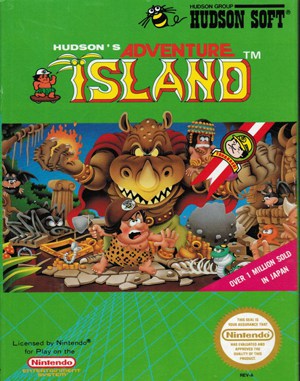 YEAR1986
Famicom
Platform 1 Player
Platform gameplay · Famicom
 YEAR1986
Famicom
Platform 1 Player
Platform gameplay · Famicom
Editorial Game Guide - Reviewed
A practical Super Mario Bros. route for the Famicom edition: learn the controls, protect power-ups, use the early warp room, and reach the final castle with fewer wasted lives.
Read the reviewed guide