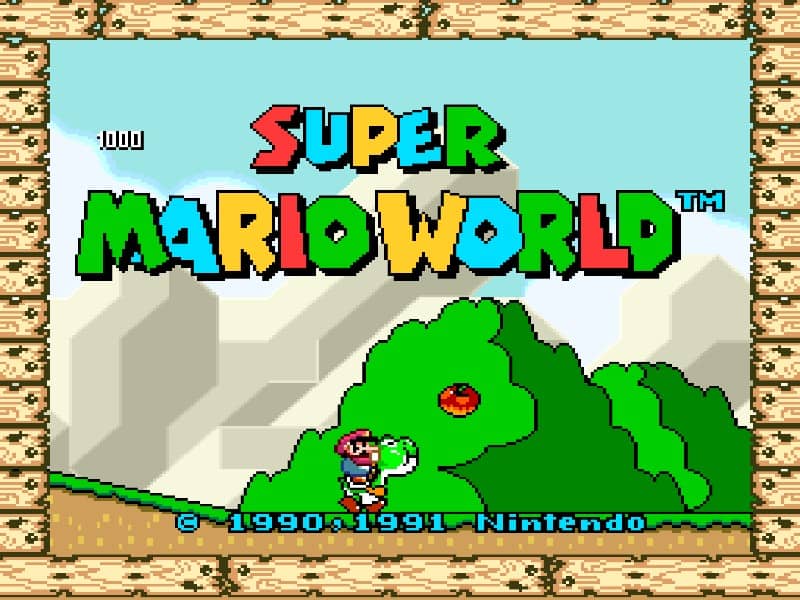
Super Famicom · 1990
Super Mario World
Explore Dinosaur Land with Yoshi, cape flight and secret exits. This original SNES platformer offers solo play or alternating Mario and Luigi turns.
Super Famicom · 1990
Explore Dinosaur Land with Yoshi, cape flight and secret exits. This original SNES platformer offers solo play or alternating Mario and Luigi turns.
Click the button below to launch the Super Famicom emulator and start playing instantly in your browser.
These are separate games or editions; your saved progress does not transfer.
Browse all playable games →Wait for larger games to download. If loading stalls, reload and try again. Check your connection and allow this site's player files if a browser extension blocked them. Once the screen appears, click inside it before using the keyboard.
Read the playing helpStart the game, then use its on-screen direction pad and action buttons. If they are hidden, choose Show touch controls above the game. Turn your phone sideways for more room; use Fullscreen when your browser supports it.
Touch support varies by emulator and game. You can still expand the keyboard layout below, or connect a compatible keyboard or gamepad.
Control panel
Arrow keys move · Z = controller A · X = controller B · Enter starts · V selects.
A compatible gamepad can be used after launch.
Default Player 1 keys are shown. If you changed them or use a gamepad, check the player’s control settings.
System: Move the pointer over the game screen to reveal the player toolbar, or tap its menu button on touch devices. Use the toolbar for save and load states, fullscreen, and control settings.
Importing replaces the save stored for this game on this browser. Download your current backup first if you want to keep it.
Launch the game to check save-state support.
Save progress keeps one emulator snapshot for this game on this browser. Saving again replaces that snapshot. Download a backup before clearing site data or changing devices. No account or cloud sync is provided.
Import an OLDGAMES backup on this same game page, then launch and choose Resume saved game. Older .state files use the player’s Load State menu.
Favorites bookmark this page; they do not save progress.
In-game saves and emulator states are different. Availability varies by game and player. Browser storage can be cleared; a downloaded backup is not cloud sync.
More about controls and backupsPlayer feedback
Was this classic worth replaying?
Share this game
Share a direct link to this game page.
Explore Dinosaur Land with Yoshi, cape flight and secret exits. This original SNES platformer offers solo play or alternating Mario and Luigi turns.
Original SNES / Super Famicom edition, distinct from Super Mario Advance 2 on GBA. The catalogue year does not establish the browser file’s region.
Players: Mario and Luigi take alternating turns; this is not simultaneous co-op. For a second player, configure Player 2 in the player’s control settings or connect a second gamepad.
Language: The exact language and revision of this browser copy have not been independently confirmed. Check the title screen before following a regional guide.
On a phone: A controller is recommended for two-player games. Physical Android and iPhone compatibility has not been verified.
B performs a normal jump and A performs a lower spin jump on the SNES controller. Super Mario can break rotating blocks from above with a spin jump, but spikes and Munchers remain unsafe. Holding Y or X makes Mario run. When riding Yoshi, A dismounts him; it does not automatically destroy Yoshi or protect Mario from every hazard. Select drops the stored reserve item. Check the emulator input settings to find the keyboard keys assigned to these controller buttons.
To unlock Top Secret Area, enter Donut Ghost House as Cape Mario and fly through the opening at the upper left of the first room. Follow the ceiling platform to the hidden door and alternate goal. The keyhole exit in Donut Plains 1 instead opens Donut Secret 1. In Top Secret Area, the centre block gives Yoshi, or a 1-Up if you already have him; the outer blocks supply power-ups according to Mario’s form.
This is the Super Famicom / SNES original. While Super Mario Bros 3 established the world map concept, Super Mario World introduced multi-exit stages and non-linear routing through the Star Road.
Background and mechanics: Wikipedia game reference.
Nintendo: original Super Mario World instruction booklet · Controller actions, leaving a cleared course and the native save prompt.
Super Mario Wiki: Top Secret Area · Community reference for the Donut Ghost House exit and supply blocks.
For the original SNES / Super Famicom game. Controller and save rules follow Nintendo’s manual; secret-route notes use the named community references. The exact browser-file region is not confirmed. This is a starter guide, not a complete 96-exit walkthrough.
Play Super Mario World online for SNES. Learn spin-jump controls, the Donut Ghost House secret exit, two-player turns and how to keep a save backup.
Content updated · Editorial policy
| SNES button | Action |
|---|---|
| D-pad | Move; choose a course on the map. |
| B | Normal jump; hold for more height. |
| A | Spin jump; dismount Yoshi when riding. |
| Y / X | Run; Y also holds an item while pressed. |
| Start | Start or pause. |
| Select | Drop the stored reserve item. |
These labels refer to the emulated SNES controller. The A button is not necessarily the A key on your computer: check the browser player’s input settings, especially after remapping a controller.
On a first visit to a course, practise a stationary jump and a running jump before spending time on an optional route. If you keep overshooting, release run earlier and repeat the same gap. This practice suggestion is separate from the game’s controller rules.
References: Nintendo: original Super Mario World instruction booklet
A spin jump is lower than a normal jump. With Super Mario or a stronger form, it can break rotating blocks from above. It can bounce on some dangerous enemies, such as Spinies, but does not make spikes, Munchers or every hazard safe.
Pressing A while mounted makes Mario leave Yoshi. This does not automatically destroy Yoshi or grant protection from every hazard. Before using it to extend a jump, check where Mario will land and whether you can recover Yoshi afterwards.
For a wide gap, start by judging the normal jump rather than assuming a spin jump reaches farther. Once you can land reliably, try the optional route with the same starting position.
References: Nintendo: original Super Mario World instruction booklet · Super Mario Wiki: Spin Jump, Super Mario World section
Treat a newly opened map path as the result to check. If the destination differs from the one you expected, confirm the course name before repeating a trick from another level. Donut Ghost House and Donut Secret House are different courses.
References: Super Mario Wiki: Donut Plains 1 · Super Mario Wiki: Donut Ghost House · Super Mario Wiki: Top Secret Area
The original game offers an in-game save choice after clearing a castle, fortress or haunted house. Choose Continue and Save when that prompt appears. This saves route progress, not the exact position of a jump inside a course.
For an exact emulator snapshot, open Save / resume above this site’s player. Save a snapshot where supported, then download a backup before clearing browser data. Test an imported backup before replacing your older copy.
A favourite only bookmarks the page. Native cartridge-save persistence and browser snapshots are different mechanisms; this guide does not claim a completed save-and-restore test for this game. For a long session, create a small test save first, refresh, and confirm you can restore it.
References: Nintendo: original Super Mario World instruction booklet · OLDGAMES: using saves and browser backups
The original two-player mode alternates between Mario and Luigi. Both characters are not active in the same course at once. Configure Player 2’s controls in the emulator before a shared session.
Agree on who will take the next turn and keep both sets of keys distinct if sharing a keyboard. If Player 2 cannot act, check the turn and controller assignment before assuming the game has frozen.
References: Nintendo: original Super Mario World instruction booklet · Super Mario Wiki: Super Mario World playable characters
This page concerns the original console game. Super Mario Advance 2 on Game Boy Advance changes controls and some features; its instructions should not be substituted for the SNES button table.
The catalogue year describes the first release and does not prove the region of the browser file. Check the title screen and language before following a region-specific instruction. If a copied code only promises to work on a different edition, skip it and use the documented controller action instead.
References: Nintendo: original Super Mario World instruction booklet · Super Mario Wiki: Spin Jump, Super Mario World section · Super Mario Wiki: Top Secret Area
Use the secret exit in Donut Ghost House with Cape Mario. The keyhole exit in Donut Plains 1 leads to Donut Secret 1 instead.
No. Mario and Luigi take turns. Set up Player 2’s controller inputs before a shared session.
A performs a spin jump; B performs a normal jump. Check the emulator’s assignments to find the corresponding keyboard keys.
The game’s own save prompt keeps route progress. An emulator snapshot can keep the running state where supported; use Save / resume and test a downloaded backup before relying on it.
Practice routines and route-planning suggestions are editorial advice. Mechanics and edition facts are tied to the references below. No exact ROM-region identification or browser save-and-restore playtest is claimed.
Printed pages 3–4, 10 and 11–12: SNES controller labels, the in-game save prompt, normal and spin jumps, items and Yoshi dismounting.
Community reference for spin-jump limits, hazard exceptions and differences from other editions.
Community reference for the keyhole exit and its destination, Donut Secret 1.
Community reference for the cape route and alternate exit to Top Secret Area.
Community reference for the unlock requirement, supply blocks and differences from the GBA remake.
Community reference for alternating Mario and Luigi turns in the original game.
Site-specific snapshot and backup instructions; these do not establish native-save persistence for this edition.
Continue reading: SNES / Super Famicom games · Super Mario Bros. on NES
Documented shortcuts: check the edition and controller requirements in the guide before using them.
Start, then SelectIn a course you have already cleared, press Start to pause, then Select to return to the world map. This shortcut does not apply to an uncleared course.
Donut Ghost House secret exit (Cape Mario)Use Cape Mario to reach the first room’s upper-left opening, follow the ceiling route to the hidden door and clear the alternate goal. Top Secret Area then opens on the map. Its centre block provides Yoshi, or a 1-Up if you already have him; the outer blocks offer power-ups depending on Mario’s form.
The control panel below the game screen shows this edition’s keys. Click inside the game before using your keyboard.
Open the player menu for the options available in this emulator. Save support varies by game and player; see the playing help for more guidance.
Browse Action games across systems, or stay with the Super Famicom catalogue. Related picks below explain how each game connects.
 YEAR1992
Super Famicom
Action 1 Player
Platform gameplay · Super Famicom
 YEAR1988
Famicom
Action 1 Player
Platform gameplay · Famicom
 YEAR1988
Famicom
Action 1 Player
Platform gameplay · Famicom
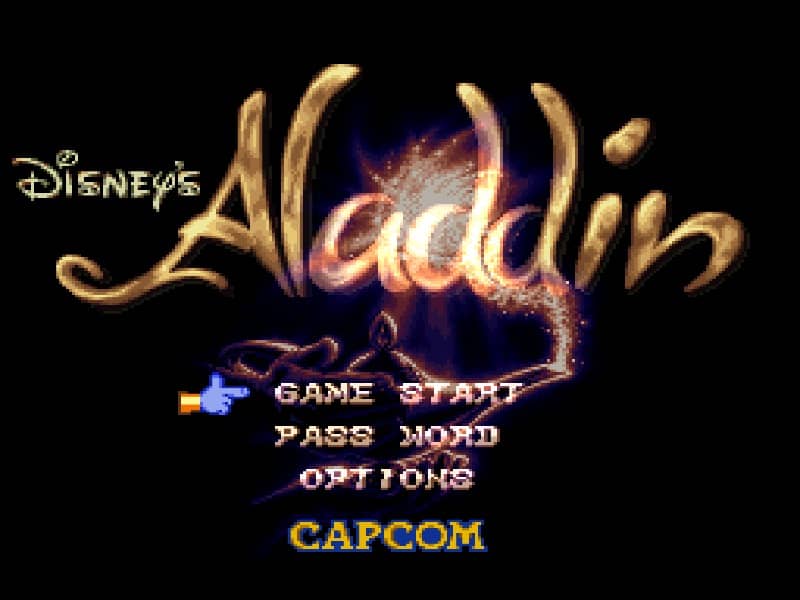 YEAR1993
Super Famicom
Action 1 Player
Platform gameplay · Super Famicom