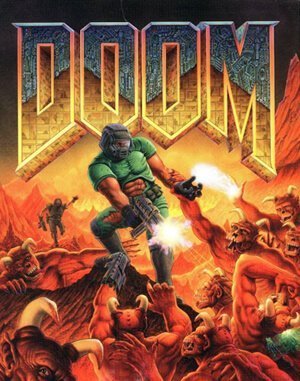
DOS · 1995
Doom
Doom combines fast first-person combat with coloured keys, secret rooms and carefully managed health and ammunition.
DOS · 1995
Doom combines fast first-person combat with coloured keys, secret rooms and carefully managed health and ammunition.
Click the button below to launch the DOS emulator and start playing instantly in your browser.
These are separate games or editions; your saved progress does not transfer.
Browse all playable games →Wait for larger games to download. If loading stalls, reload and try again. Check your connection and allow this site's player files if a browser extension blocked them. Once the screen appears, click inside it before using the keyboard.
Read the playing helpDOS controls vary by game. Use the player’s input menu for a virtual keyboard or mouse when available. A hardware keyboard is recommended for games with many keys.
Touch support varies by emulator and game. You can still expand the keyboard layout below, or connect a compatible keyboard or gamepad.
Control panel
Keyboard and mouse — follow the game’s own controls.
A compatible gamepad can be used after launch.
DOS games do not share one reliable control scheme. Check the title screen or in-game help for its assigned keys.
System: Move the pointer over the game screen to reveal the player toolbar, or tap its menu button on touch devices. Use the toolbar for save and load states, fullscreen, and control settings.
Favorites bookmark this page; they do not save progress.
In-game saves and emulator states are different. Availability varies by game and player. Browser storage can be cleared; a downloaded backup is not cloud sync.
More about controls and backupsPlayer feedback
Was this classic worth replaying?
Share this game
Share a direct link to this game page.
Doom combines fast first-person combat with coloured keys, secret rooms and carefully managed health and ammunition.
Combat and exploration share the same spaces: a room may hide a key, a shortcut or a trap. Moving sideways helps avoid incoming attacks without losing sight of the enemy. Weapon choice matters because ammunition is shared between some weapons and must last through the level.
A coloured locked door is a clue for your next search. Check which key is missing and use the automap to find branches you have not explored. Keeping that goal in mind helps when several corridors lead back into the same room.
These notes cover classic DOS Doom. Doom II adds different maps, enemies and the Super Shotgun. Modern source ports may also change the available controls.
Background and mechanics: Wikipedia game reference.
Check the edition and timing requirements before entering a code. Button names refer to the emulated controller; use your assigned keyboard or controller inputs.
IDDQDType this letter sequence anytime during gameplay to lock health at 100% and render the Doom marine immune to all enemy projectiles, hitscans, and toxic floor slime.
IDKFAGrants all 7 weapons (including the BFG9000 and Plasma Rifle), fills ammunition reserves to maximum capacity, provides 200% blue MegaArmor, and unlocks all red, blue, and yellow keycards and skull keys.
IDSPISPOPDDisables collision detection in the original Doom v1.x engine, allowing you to walk directly through solid walls, fences, and level geometry to discover hidden rooms.
IDDTOpen the automap (Tab) and type IDDT once to reveal all map lines; type it a second time to display all active monsters, pickups, and projectile trajectories in real time.
The control panel below the game screen shows this edition’s keys. Click inside the game before using your keyboard.
Open the player menu for the options available in this emulator. Save support varies by game and player; see the playing help for more guidance.
Browse First Person Shooter games across systems, or stay with the DOS catalogue. Related picks below explain how each game connects.
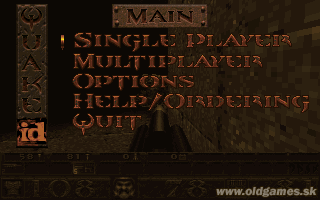 YEAR1996
DOS
First Person Shooter 1 Player
First-person shooter gameplay · DOS
 YEAR1992
DOS
First Person Shooter 1 Player
First-person shooter gameplay · DOS
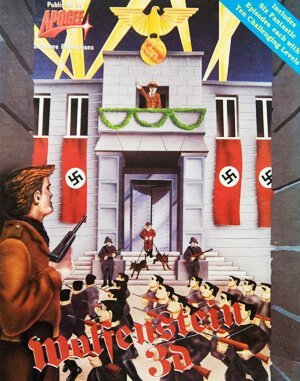 YEAR1992
DOS
First Person Shooter 1 Player
First-person shooter gameplay · DOS
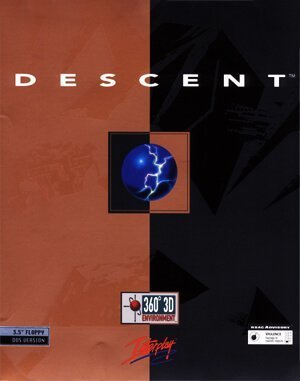 YEAR1995
DOS
First Person Shooter 1 Player
First-person shooter gameplay · DOS