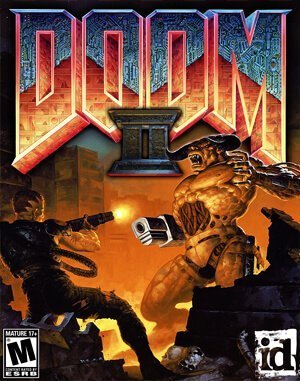
DOS · 1994
Doom II: Hell On Earth
Doom II adds the Super Shotgun and new enemy types to classic Doom’s fast combat and maze-like level exploration.
DOS · 1994
Doom II adds the Super Shotgun and new enemy types to classic Doom’s fast combat and maze-like level exploration.
Click the button below to launch the DOS emulator and start playing instantly in your browser.
These are separate games or editions; your saved progress does not transfer.
Browse all playable games →Wait for larger games to download. If loading stalls, reload and try again. Check your connection and allow this site's player files if a browser extension blocked them. Once the screen appears, click inside it before using the keyboard.
Read the playing helpDOS controls vary by game. Use the player’s input menu for a virtual keyboard or mouse when available. A hardware keyboard is recommended for games with many keys.
Touch support varies by emulator and game. You can still expand the keyboard layout below, or connect a compatible keyboard or gamepad.
Control panel
Keyboard and mouse — this title uses its archived JS-DOS configuration.
A compatible gamepad can be used after launch.
The archived source configuration selects the game launcher and DOSBox settings. Game keys still vary by title; check its title screen or in-game help.
System: Use the JS-DOS player menu for fullscreen and input options. The source package remains the authority for title-specific keys.
Favorites bookmark this page; they do not save progress.
Use the game’s own Save/Load menu when available. JS-DOS save options depend on this package; check its player menu and game instructions.
In-game saves and emulator states are different. Availability varies by game and player. Browser storage can be cleared; a downloaded backup is not cloud sync.
More about controls and backupsPlayer feedback
Was this classic worth replaying?
Share this game
Share a direct link to this game page.
Doom II adds the Super Shotgun and new enemy types to classic Doom’s fast combat and maze-like level exploration.
The sequel retains the basic movement and key-hunting structure while expanding the combat roster. The double-barrelled Super Shotgun is powerful at close range, but its reload creates a pause you must plan around. Mixed enemy groups make target priority increasingly important.
The Super Shotgun leaves a gap between shots while it reloads. Fire with space to move away, then close the distance again when it is ready. Backing into a corner turns that reload into time you cannot spend dodging.
Hell on Earth follows Doom with a different campaign. Final Doom and custom level packs have their own maps even when they use familiar weapons.
Background and mechanics: Wikipedia game reference.
Check the edition and timing requirements before entering a code. Button names refer to the emulated controller; use your assigned keyboard or controller inputs.
IDDQDType this five-letter code during gameplay to make the Doom marine completely invincible to all monster attacks, acid pools, and explosions, with health locked at 100%.
IDKFAInstantly awards all weapons including the Super Shotgun and BFG9000, maxes out bullet, shell, rocket, and cell capacities, provides 200% blue armor, and grants every keycard and skull key.
IDCLIPDisables collision detection across the entire level, allowing you to walk freely through solid walls, fences, closed doors, and out-of-bounds geometry.
IDCLEV## (e.g. IDCLEV31 for secret Wolfenstein stage)Type IDCLEV followed by the two-digit level number to teleport directly to that map. Enter IDCLEV31 or IDCLEV32 to access the secret retro Wolfenstein tribute levels.
The control panel below the game screen shows this edition’s keys. Click inside the game before using your keyboard.
Open the player menu for the options available in this emulator. Save support varies by game and player; see the playing help for more guidance.
Browse First Person Shooter games across systems, or stay with the DOS catalogue. Related picks below explain how each game connects.
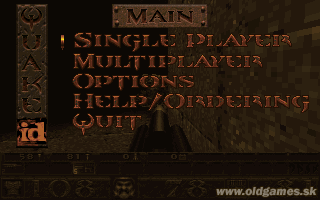 YEAR1996
DOS
First Person Shooter 1 Player
First-person shooter gameplay · DOS
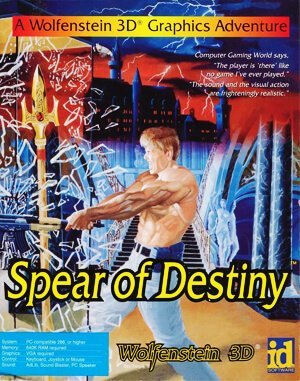 YEAR1992
DOS
First Person Shooter 1 Player
First-person shooter gameplay · DOS
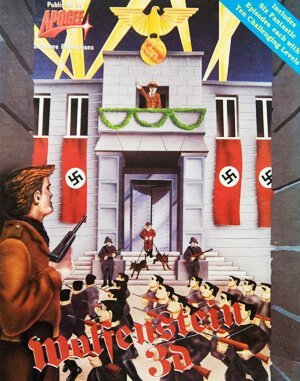 YEAR1992
DOS
First Person Shooter 1 Player
First-person shooter gameplay · DOS
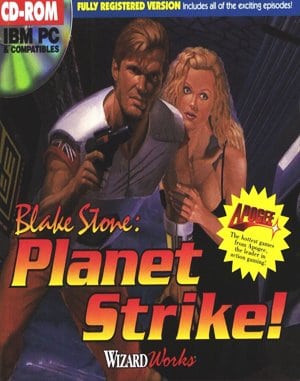 YEAR1994
DOS
First Person Shooter 1 Player
First-person shooter gameplay · DOS